You can film very good videos at home with a plain phone. Here are the light, the framing, clean sound, product shots and the edit, step by step.
Can you really film with a phone
Yes, and it is exactly what brands are buying. This format lives on a domestic look: a professional camera would produce an image too clean, which would give the advertising away. What matters is not the sensor, it is the light, the sound and the framing, three things that are free or nearly.
The best light for filming at home
Seven rules, in order of importance.
Use daylight, never a ceiling fitting.
Face the window, not away from it.
Film on an overcast day rather than in full sun.
Switch off every other source, to avoid mixing.
Find the hour when the room is softest.
Use a white sheet to soften light that is too hard.
And in the evening, bring one lamp closer, never two.
How to frame your shots
Six simple rules.
Put the camera at eye level.
Leave a little space above the head, never too much.
Step back thirty centimetres, the lens distorts up close.
Frame vertically if the video ends up vertical.
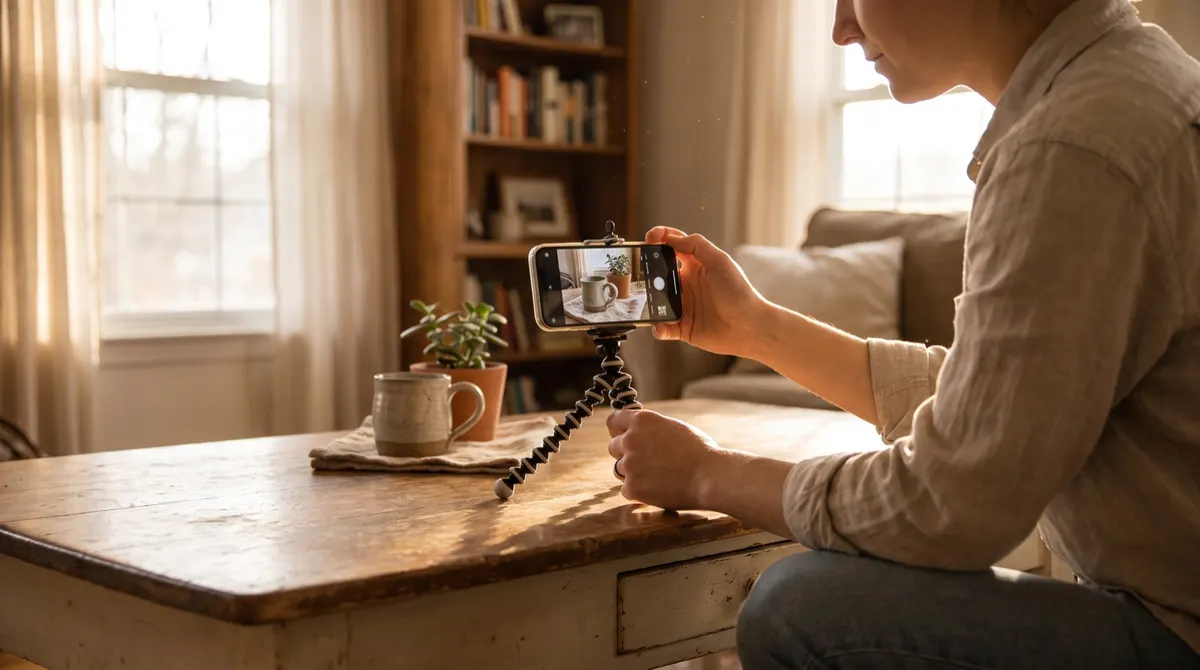
Set the phone down, never hold it.
And do not move the camera during a take.
Getting clean sound with no studio
Seven moves, from the most decisive to the finest.
Bring the microphone closer, distance matters more than price.
Film in a room with textiles, never a tiled one.
Close the windows and switch off ventilation.
Turn off the fridge if the kitchen is the set.
Do a thirty-second test, and listen on headphones.
Redo the take if a noise crept in.
And speak slightly slower than in conversation.
Which background to choose
Six criteria, all checkable before shooting.
A real background, never a bare wall.
Something that places the room, without cluttering.
No competing brand visible.
No identifiable personal object.
Enough depth behind you.
And nothing moving during the take.
How to record your takes
Six habits that save time in the edit.
Deliberately sacrifice the first take.
Record three versions, not ten.
Mark the good takes out loud.
Let it run two seconds before and after.
Check the image after the first take, not at the end.
And copy the files immediately after the session.
How to film product shots brands like
Seven shots to deliver, on top of the main take.
The product alone, on a neutral background.
The product in hand, in slow movement.
The opening or the handling, in close-up.
The material detail.
The product in place, where it really lives.
A wide shot giving the scale.
And a clean vertical version of every shot.
How to prepare the room in ten minutes
Seven moves, always the same.
Tidy only what will be in frame.
Open the curtains and switch off the lamps.
Put a towel on the floor if the room echoes.
Close the door and warn the other occupants.
Mark the camera position on the floor.
Put the phone in flight mode.
And have the product within reach.
The phone settings to do once
Seven settings, then leave them alone.
Switch off beauty mode.
Lock the exposure before the take.
Set the highest available resolution.
Choose a stable frame rate.
Turn off excessive stabilisation if it warps the image.
Clean the lens, dealt with above.
And check the available storage.
How to keep the pace across several videos
Six habits that prevent exhaustion.
Group the shoots that share a set.
Change outfit rather than room.
Do all the main takes first.
Do all the product shots afterwards.
Take five minutes between two videos.
And stop before the voice tires.
What to deliver with the video
Six elements, in the same send.
Both exported formats.
The subtitles, burnt in and as a separate file.
The rushes, if the quote includes them.
Three stills.
The list of files, with their use.
And a reminder of the licence scope.
How to improve from one session to the next
Six habits, ten minutes after every shoot.
Watch the video once, not ten times.
Note a single flaw to fix.
Compare with the previous session.
Keep the best take in a reference folder.
Write down the real time spent.
And redo the same video a month later.
How to edit quickly
Six editing rules, valid everywhere.
Cut everything before the action.
Burn in the subtitles, always.
Keep hard cuts, with no transitions.
Check how it plays with no sound.
Export vertical and horizontal.
And name the files readably.
What not to do
Six errors visible immediately.
Leaving beauty mode switched on.
Filming in front of a window.
Holding the phone in your hand.
Mixing daylight and a warm lamp.
Adding music that blocks reuse in advertising.
And delivering without having listened on headphones.
The three most useful rooms in the house
Five criteria for choosing, whatever the room.
A window with no direct sun.
Textiles on the floor or the walls.
At least two metres of depth.
A background that places the scene without cluttering.
And a door you can close.
How long a video takes
Six realistic markers, counting everything.
Thirty minutes preparing the set.
Twenty minutes of main shooting.
Twenty minutes of product shots.
An hour of editing, subtitles included.
Ten minutes of exporting and naming.
And ten minutes of delivery and message.
How to file your footage after the shoot
Seven moves, in order, the same day.
Copy the files to two drives.
Create one folder per order.
Rename to the agreed convention.
Separate main takes from product shots.
Note the selected takes.
Delete the obviously failed takes.
And back up before starting the edit.
Three corners of a home, three uses
| Corner | What it serves | What to fix |
|---|---|---|
| Facing a window | The face shot | A white curtain against backlight |
| The worktop | The gesture and the product | A side lamp |
| A bare wall | The product shot | A stretched sheet, no creases |
What is handled before the image
Noise. A machine, a street, a fan: cut what you can, close the rest, and speak thirty centimetres from the mic.
What stays in place between shoots
The floor marks, the tripod height, the lamp setting. Getting your set back in two minutes is what makes regular production sustainable over time.
What to do before every session
Six checks, in five minutes.
Wipe the lens, dealt with above.
Check the battery and the free space.
Switch off beauty mode.
Silence the notifications.
Do a thirty-second sound test.
And mark the camera position on the floor.
One last marker: the difference between an amateur video and a sellable one is not the kit, it is three free things, a clean lens, a window, and a microphone brought closer.
Sources
- Portal do Empreendedor (MEI), Brazilian government
- Receita Federal, Brazilian tax authority
- Simples Nacional, official portal
Checked on 4 September 2026. Thresholds and rates change: where this guide and the official source disagree, the official source is right.