
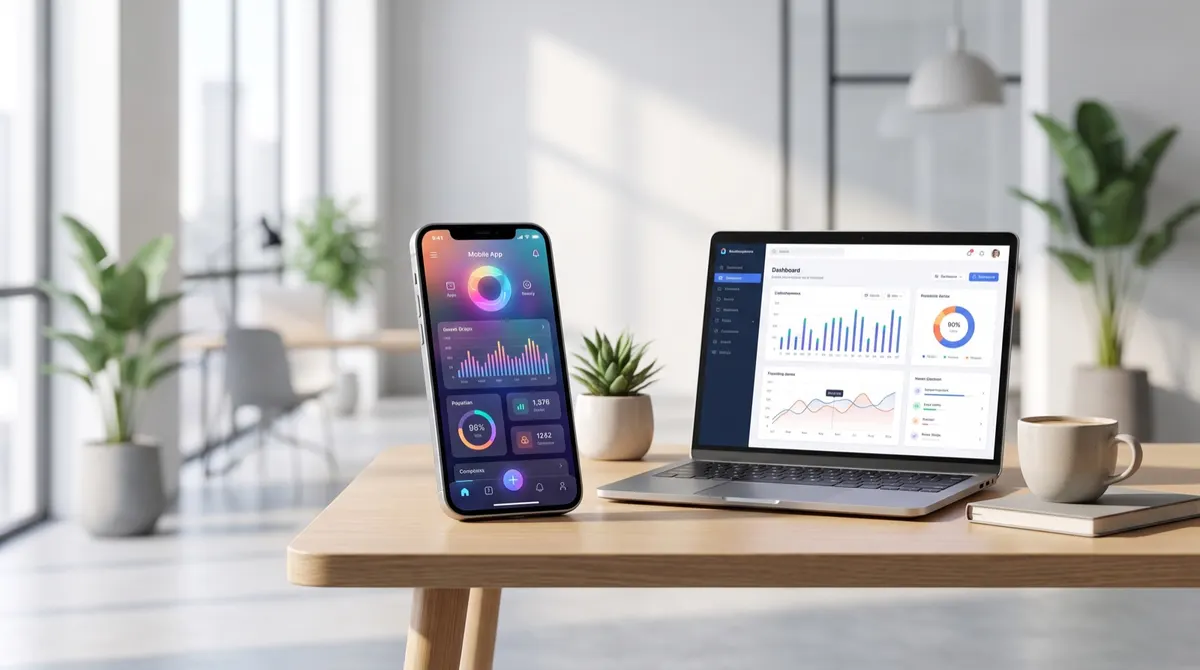
Show the product for real. Here are the videos that convert for an app or a software product, the brief, the rights and the sourcing.
Why this format works for a digital product
Because the obstacle is not the price, it is uncertainty: you do not know what the product looks like before installing it. A video showing the real screen, with real gestures, removes that uncertainty in seconds. It does the job a presentation page does badly.
Which types of video convert
Seven formats, from the most effective to the most situational.
The on-screen demonstration, gesture by gesture.
The problem first, the solution after.
A day with the product, in real use.
The before and after comparison, on one specific task.
The nuanced testimonial, saying what is missing.
The answer to one specific objection, price or complexity.
And the questions and answers format, from the feedback received.
Should you combine screen and face
Six markers for choosing.
The face builds trust in three seconds.
The screen proves, but does not hook.
Alternating the two holds attention longer.
The face alone suits a testimonial.
The screen alone suits a tutorial.
And the combination suits almost everything else.
How to brief a creator
Seven mentions to write down in full.
The exact path to show, screen by screen.
The demonstration account to use.
The confidentiality instructions, dealt with above.
The main objection to remove.
The permitted claims about features.
The expected length and format.
And the ban on showing a price or a promotion.
What to supply to the creator
Six elements, before the shoot.
A demonstration access, with fictional data.
A guide to the path to film.
The list of screens not to show.
The permitted sentences about features.
The approving contact, with their hours.
And the expected delivery date.
The technical settings for a screen recording
Seven checks, before pressing record.
Switch on do-not-disturb.
Hide notifications and widgets.
Check the time and battery level displayed.
Use a demonstration account, never a personal one.
Record at the highest resolution.
Slow the gestures down, the eye follows a fast hand badly.
And cut every loading time in the edit.
What must never be shown
Six elements that make a video unusable.
Real personal data, even partial.
A visible login or password.
A conversation open in another application.
A feature not yet available.
A price, which will change before the licence ends.
And a competing brand legible on screen.
What usage rights to provide for
Six elements to write into the quote.
Paid advertising, invoiced separately.
Use on app stores, if that is planned.
A duration of at least twelve months.
The right to recrop and re-edit.
The obligation to withdraw if a feature disappears.
And the fate of the rushes, essential for re-editing after an update.
The update problem
Six habits that avoid redoing everything.
Film the stable paths, not screens being redesigned.
Avoid shots showing a version number.
Keep the rushes to replace a single screen.
Plan an annual refresh budget.
Withdraw a video whose interface no longer exists.
And note the shooting date in the file name.
What the video should show first
Seven possible openings, to test separately.
The problem, shown on screen rather than described.
The result obtained, before the explanation.
The most surprising gesture in the path.
The face, one sentence, then the screen.
A counter or a visible figure.
A comparison with the manual method.
And the home screen, only if the product is already known.
How to handle a long demonstration
Six rules so the viewer stays.
One task per video, never three.
An objective stated in the first sentence.
Loading times cut in the edit.
A visual reminder of the current step.
An ending that shows the final result.
And a length that stays under the patience limit.
What to ask for besides the edit
Six deliverables useful for a long time.
The raw recordings, per screen.
A version with no voice, for the product page.
A version with no subtitles.
Three stills of the key screens.
A short version, focused on a single gesture.
And the list of screens filmed but not used.
How to test two different angles
Six ways to pit two approaches against each other.
Time saved against simplicity.
Demonstration against testimonial.
Face against screen alone.
Problem against result.
Beginner against advanced user.
And the long version against the short one.
How to find creators comfortable with screen recording
Six criteria, more useful than audience size.
Screen recording examples in the portfolio.
A clear voice, decisive in this format.
An ability to explain without reading.
Familiarity with digital products.
Acceptance of the confidentiality instructions.
And the ability to redo a path after an update.
What to plan for the next version
Five decisions, made at the first order.
The date of the next known update.
The associated refresh budget.
The creator to contact first.
The screens likely to change.
And the rushes to keep for a re-edit.
What a video costs in this category
Seven markers, to adjust for the product.
A short demonstration, a single path.
A long demonstration, several screens.
A problem-then-solution format, with a face.
A batch of three videos from the same session.
A second version after an update.
Category exclusivity, invoiced separately.
And advertising rights, never included by default.
What to check before approving
Six checks, before paying for the video.
No personal data is legible.
The interface matches the live version.
The path filmed is the one in the brief.
The loading times have been cut.
The subtitles are burnt in and legible.
And the voice-free version has been delivered.
What is filmed on a digital product
| Shot | What it proves | The constraint |
|---|---|---|
| The screen in use | The real fluidity | A clean capture, not a filmed screen |
| The hand on the device | The gesture and the context | No legible data |
| The result obtained | What it changes | A demo account |
What is prepared before shooting
A test account provided by the brand, with fictional data. Filming your own account exposes personal information that stays legible on a paused frame.
What is never shown
A client name, a real amount, an address or an identifier. These four often appear without thinking and create a very real contractual problem.
What to measure
Six indicators, none of them views.
The cost per install.
The activation rate after install.
The seven-day retention rate.
The cost per video actually run.
The creative's lifespan.
And the number of product questions received in the comments.
One last marker: in this category, what convinces is not the promise, it is the screen. Show three real gestures rather than ten arguments.